Manage Employee Productivity with Detailed Reports
Minimize time loss and optimize your operational processes with Bosseye PC monitoring software.In today's competitive business world, sustainable success depends on accurately measuring and effectively managing employee productivity. Whether you utilize an office-based or remote work model, knowing how your team utilizes their working hours is a strategic necessity. Bosseye Employee Monitoring and Tracking Software monitors all computer activities across your company network, providing you with detailed employee productivity reports on an instant, daily, weekly, and monthly basis, going far beyond manual tracking.
Thanks to the performance and activity indicators provided by Bosseye, you can make decisions based on entirely objective data rather than intuition. You can instantly identify which departments are working intensively, where workforce bottlenecks occur, or which employees are wasting time on inefficient processes.
Why is Measuring Employee Productivity a Critical Need?
For many business managers, using an employee tracking program might be perceived merely as "seeing who is doing what." However, advanced productivity analysis is a direct investment in reducing costs and increasing profitability:
- Prevent Time Theft and Waste: Time spent on social media, e-commerce sites, or non-work-related applications is considered "time theft." Bosseye clearly reveals how much of the working hours is genuinely spent on productive tasks.
- Optimize Operational Processes: Analyze which software accelerates business processes and which tasks take up too much time. Gain critical insights to speed up workflows.
- Fair and Data-Driven Performance Evaluations: Remove personal biases from your employees' promotion, bonus, or performance feedback processes. Base them entirely on the transparent log records and activity reports provided by the software.
- Identify Training and Development Needs: Tasks completed in a longer time than expected or difficulties experienced while using specific applications (e.g., CRM software, Excel) indicate which subjects your team needs training on.
- ROI (Return on Investment) Analysis: Employee salaries and software license costs are among the biggest expense items for your company. By measuring how efficiently your team uses these tools, you can maximize the return on your hardware and software investments.
How Do Bosseye Reports Work?
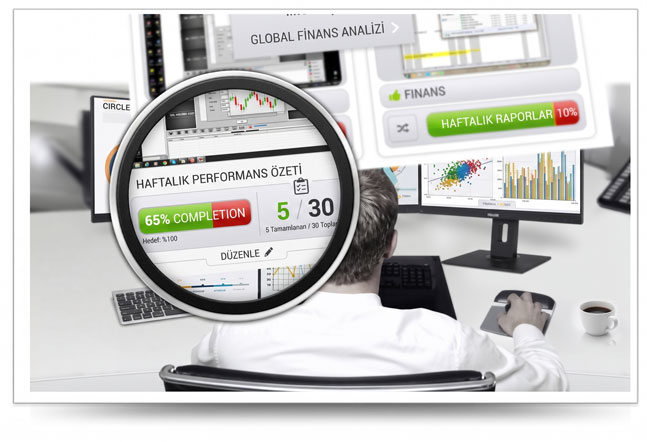
Bosseye transforms complex data into easy-to-understand visual charts. You can find the following features in the admin panel:
- Smart Application Classification: Categorize visited websites and opened programs as 'Productive', 'Unproductive', or 'Neutral' according to your company policy.
- Dynamic Productivity Score: The algorithm automatically scores the employee's productivity out of 100 at the end of the day.
- Timeline and Logs: Chronologically list which applications and windows the employee switched between, second by second.
- Device-Independent Tracking: Thanks to our web-based panel, experience the privilege of monitoring computers from mobile phones and access reports 24/7.
Which Interactions and Data Are Tracked?
Thanks to the capabilities of Bosseye's computer monitoring software, you can collect data down to the finest detail. However, while doing this, privacy standards are strictly respected:
- Application and Software Usage Analysis: Business-focused software like accounting programs, Word, Excel, and design tools are separated from games and messaging apps. The exact minutes spent on each screen are reported.
- Website Monitoring and Reporting: All URL addresses visited via internet browsers (Chrome, Edge, etc.) are recorded. Time spent on "Unproductive" sites (e.g., online shopping, video platforms) is clearly visible.
- Active and Idle Time Measurement: Even if the computer is on, if there is no keyboard or mouse movement, the system automatically calculates and reports this as "Idle" time. This helps detect situations where employees leave their desks with the computer on.
- Blurring Critical Screens Feature: To protect personal data and privacy, you can utilize the blur technology when recording screens on password entry pages, banking interfaces, or private messaging areas.
Concrete Benefits of Productivity Reports for Your Business
Changes you will experience when you integrate the acquired analytical data into your company culture:
- Achieve Cost Savings: By detecting the average 20% "unproductive time" usage during working hours, you can directly improve your workforce costs.
- Fair Workload Distribution: Identify overworked employees and those performing below their potential, enabling you to distribute the workload across departments evenly.
- Retrospective Performance Proof: With the historical screen recording feature, investigate past disputes, customer complaints, or project delays transparently.
- Remote Work Auditing: Keep your remote team's motivation and work discipline under control just as if they were in the office.
- Security and Breach Detection: Prevent internal information theft by catching abnormal activity logs, such as unexpected file transfers or unauthorized site access outside the company.
Start Measuring Your Workforce Productivity Today!
You can test the Bosseye Employee Monitoring Program with all its premium features for 3 days completely free of charge, with no credit card required. Setup takes only 1 minute.
Create Your Free 3-Day Full Version Account